Key Features
No code, full control, pixel perfect.
Authentication, Roles and Spaces
Each team sees its own work
Local users work in every edition. Enterprise adds single sign-on with LDAP, SAML and OIDC. Spaces keep the jobs, reports and providers of each team apart, and each space gives a user or a role read-only, read-write or admin access.
- LDAP Integration – Active Directory, OpenLDAP, LemonLDAP
- SAML SSO – Microsoft ADFS, Azure AD, Keycloak
- OIDC Support – Google, Auth0, Keycloak, set in the settings page or from environment variables
- Roles from your groups – the groups of your identity provider become roles, and a group you name as a system group gets the Settings menu
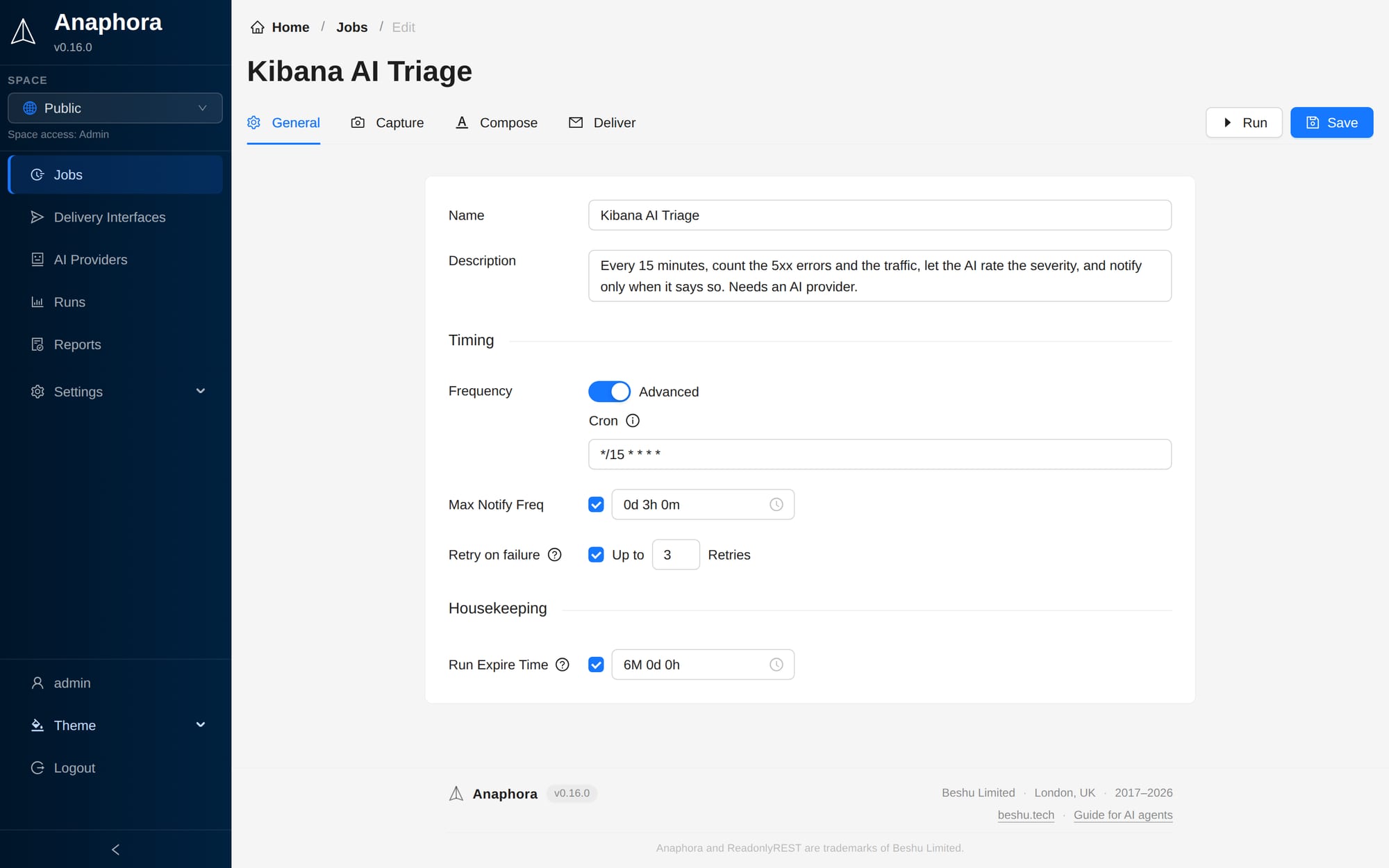
Flexible Scheduling
Run reports on your terms
Define exactly when and how often your reports run. Choose from simple interval scheduling through our intuitive interface, or leverage advanced CRON expressions for precise timing control.
- Interval Scheduling – Simple time-based triggers
- CRON Expressions – Advanced scheduling for power users
- Retries and Throttling – A failed run retries on its own; a maximum notification frequency stops repeat alerts
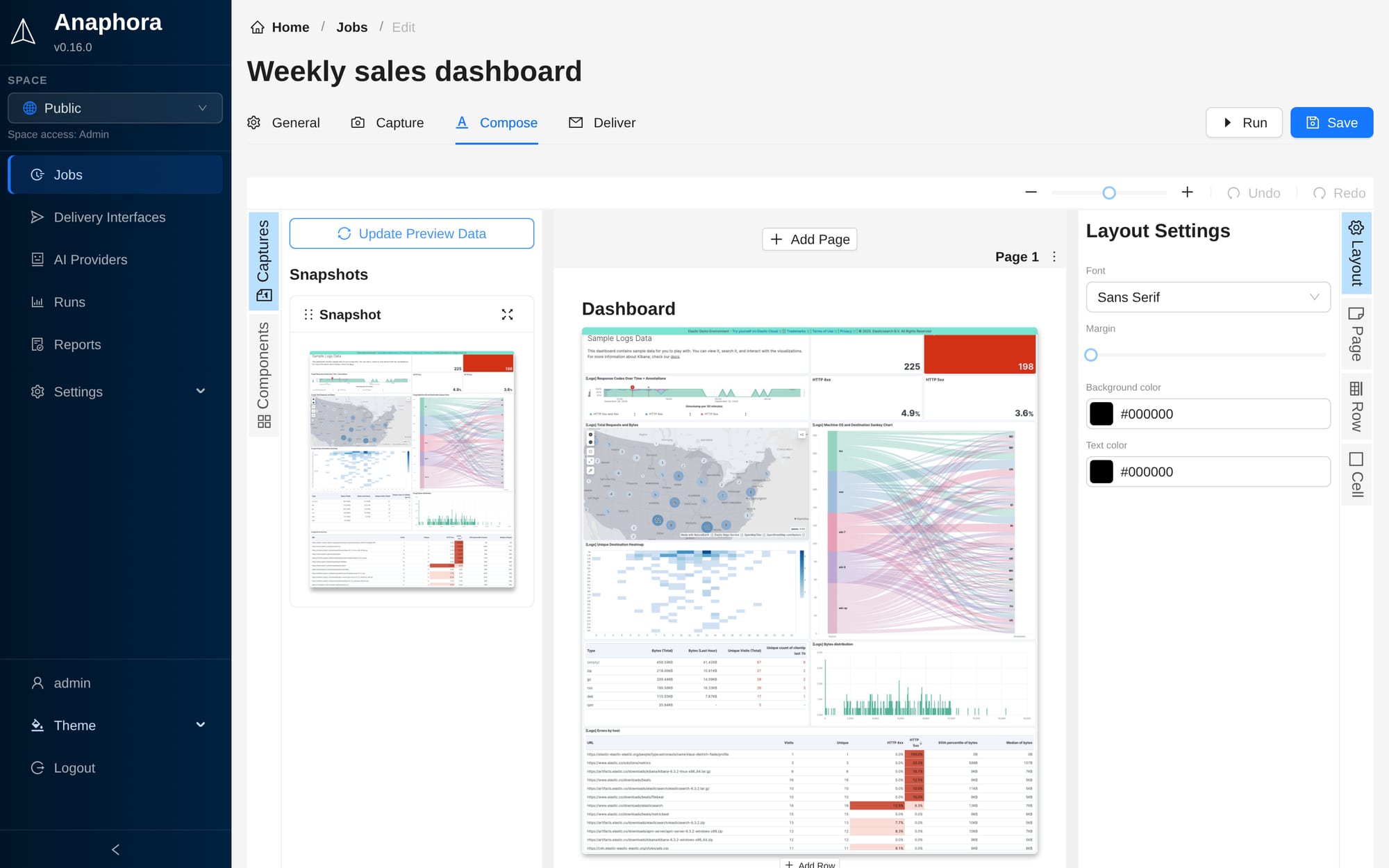
Visual Report Composer
Design without limits
Create stunning, professional reports with our intuitive drag-and-drop interface. Arrange screenshots, text, charts, and graphics with precision to craft pixel-perfect A4 layouts that tell your data's story.
- Drag & Drop Builder – Intuitive visual design
- Responsive Layouts – Professional A4 formatting
- Rich Content Support – Images, text, and graphics
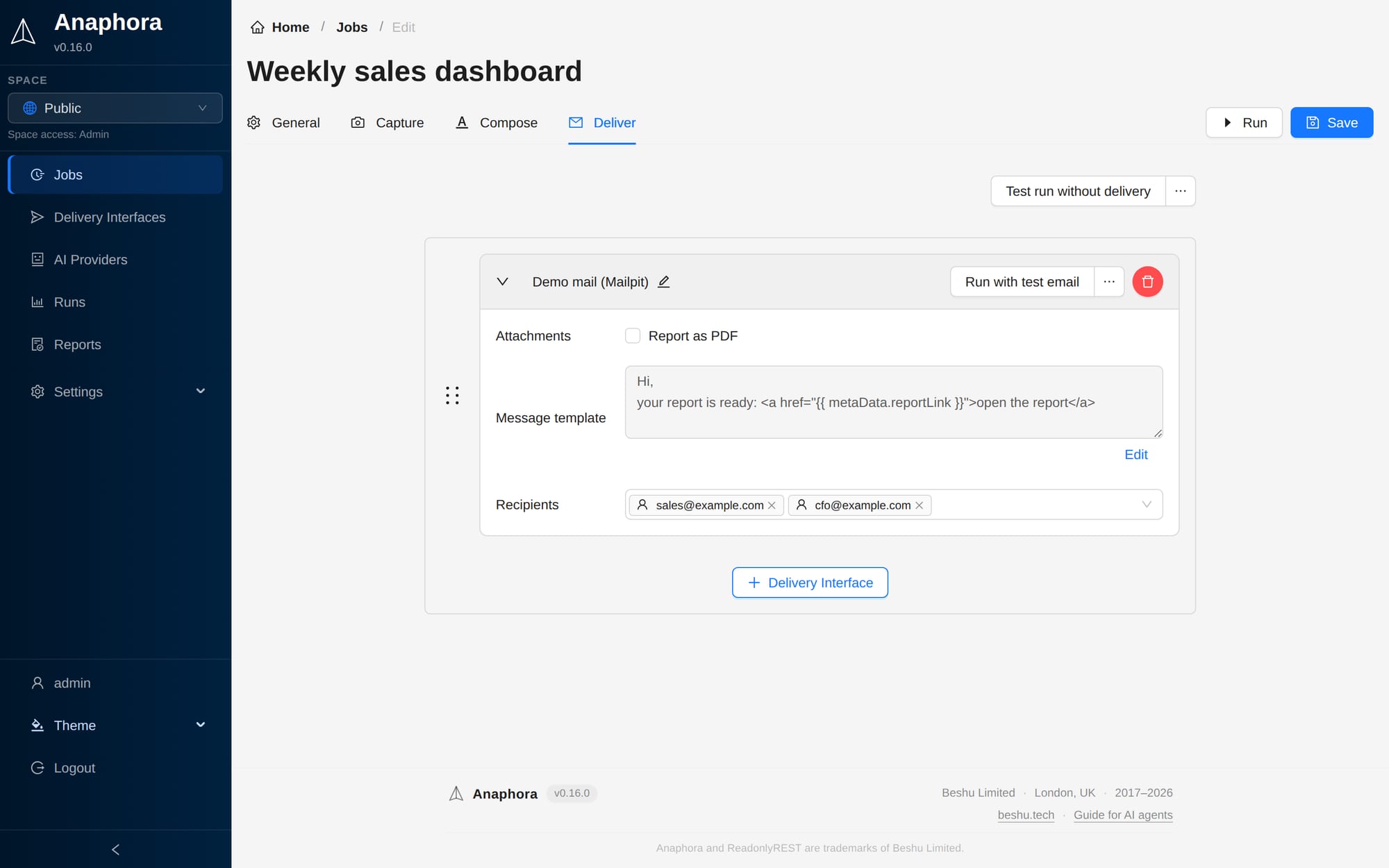
Multi-Channel Delivery
Reach your audience anywhere
Deliver reports through the channels your team uses every day. From traditional email to modern collaboration platforms, ensure critical insights reach the right people at the right time.
- Email Delivery – Direct inbox notifications
- Slack Integration – Team collaboration channels
- Custom Webhooks – Discord, Telegram, Mattermost
- Cloud Storage – Automated S3 uploads
AI Triage
Reason first, page second
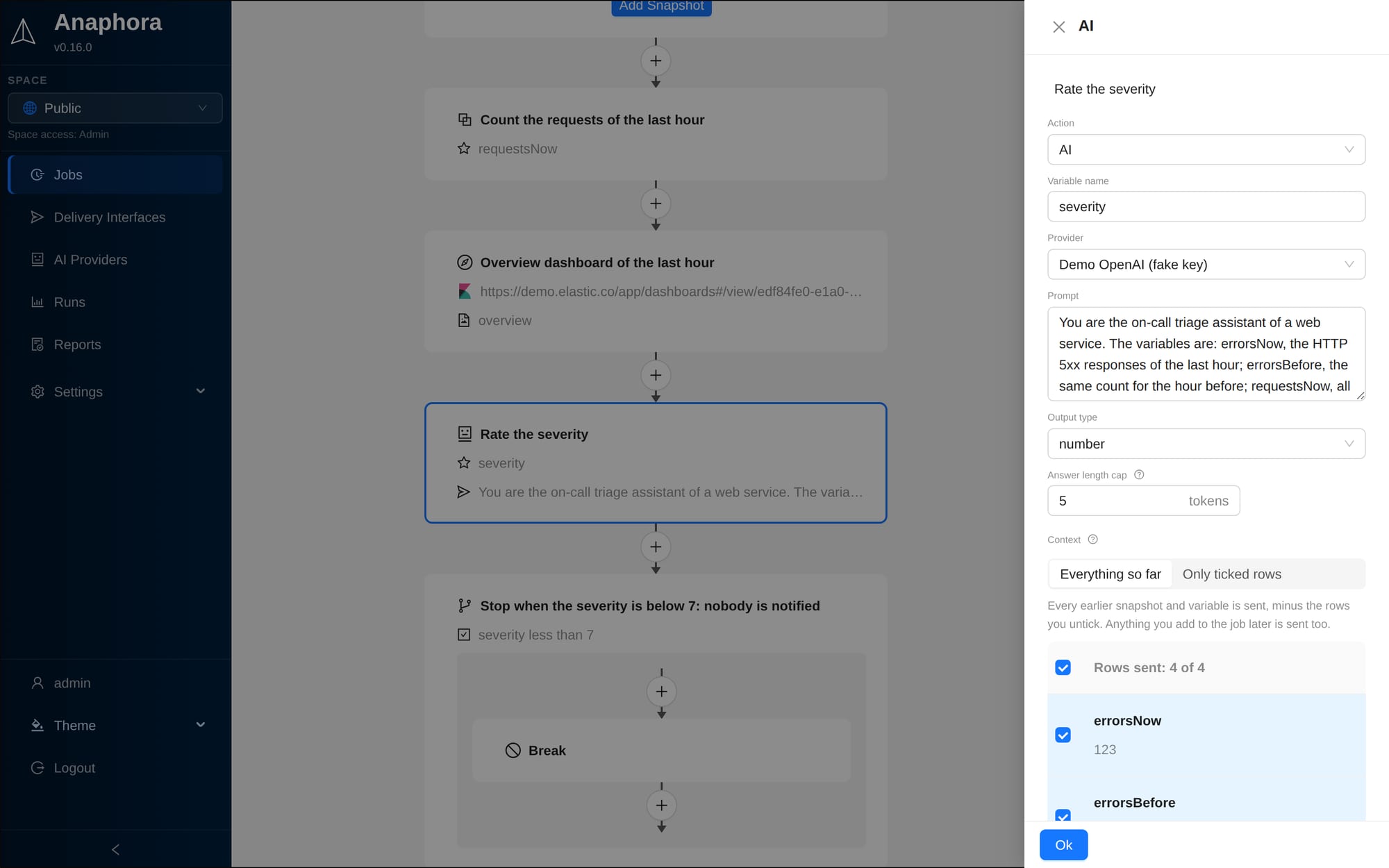
Add one AI action to a job and every snapshot and value captured so far goes to the model of your choice. It reads the dashboards as images, connects Kibana, Grafana and Metabase into one picture, and returns a summary, a diagnosis or a severity score you can branch on. The step is optional: jobs without it never call a model.
- Bring your own provider – OpenAI, DeepSeek, or any OpenAI-compatible endpoint, self-hosted vLLM included
- Vision – snapshots go to the model as images when the provider reads them
- Branch on the answer – a number output feeds a condition: no incident, no notification. An answer with no single number fails the run
- Kibana AI Triage – a built-in template rates the severity from 0 to 10 and notifies nobody below 7
- Token budgets – daily and weekly caps per provider, jobs pause at the limit
Health Monitoring
Know when a job stops working
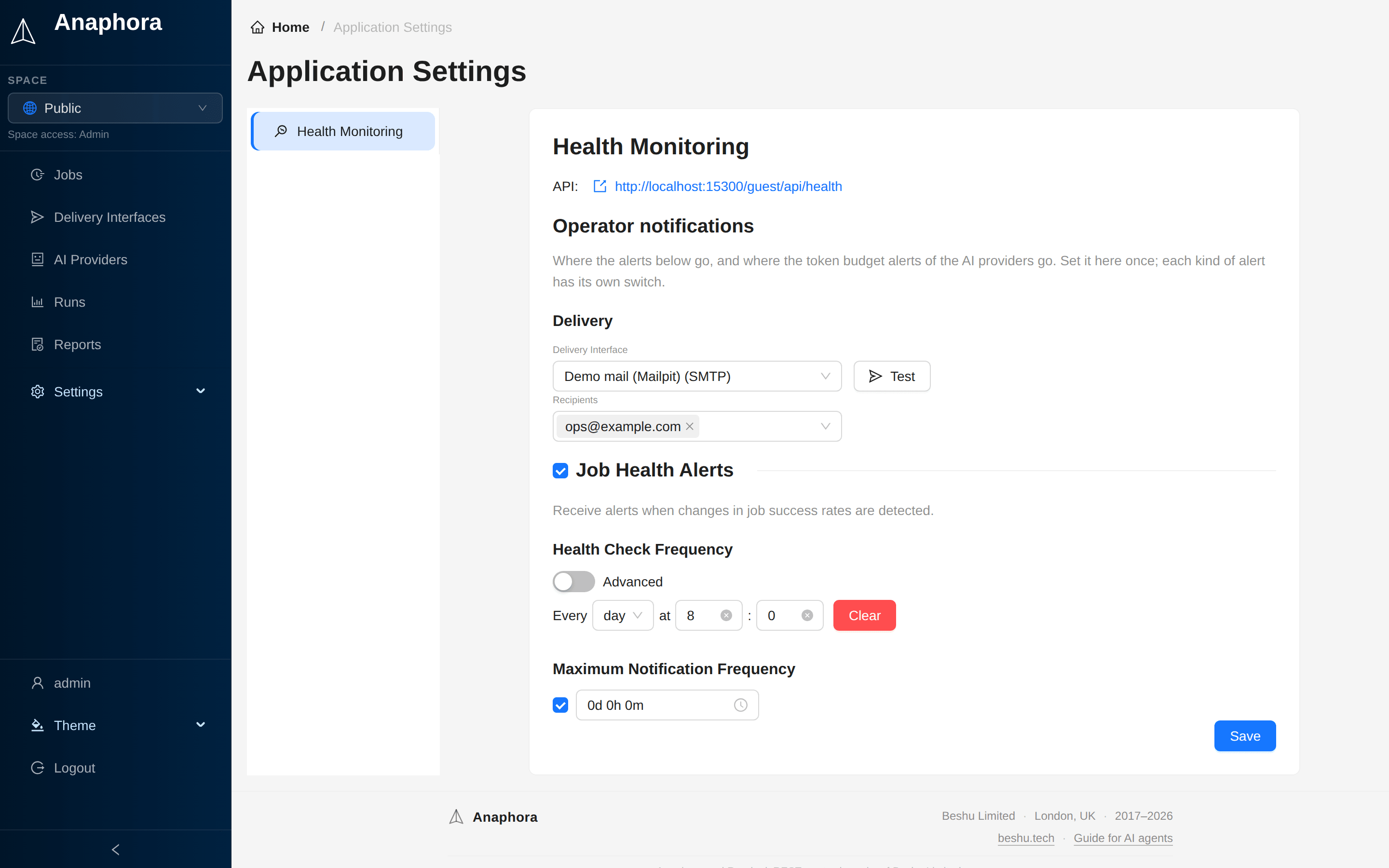
Anaphora watches its own jobs and delivery interfaces. Each one is green, yellow or red from its recent runs, and gray when it has no recent runs. Your monitor reads the same health over an API.
- Job health alerts – an alert goes to the operator channel when the success rate of a job changes
- Health API –
/guest/api/healthgives the worst status and the counts per colour, with no sign-in - Observer API keys – Centreon, Uptime Kuma or a script reads every job by name, with its schedule and recent runs. Error texts stay out
- One operator channel – the same delivery interface carries the AI token budget alerts